On this page
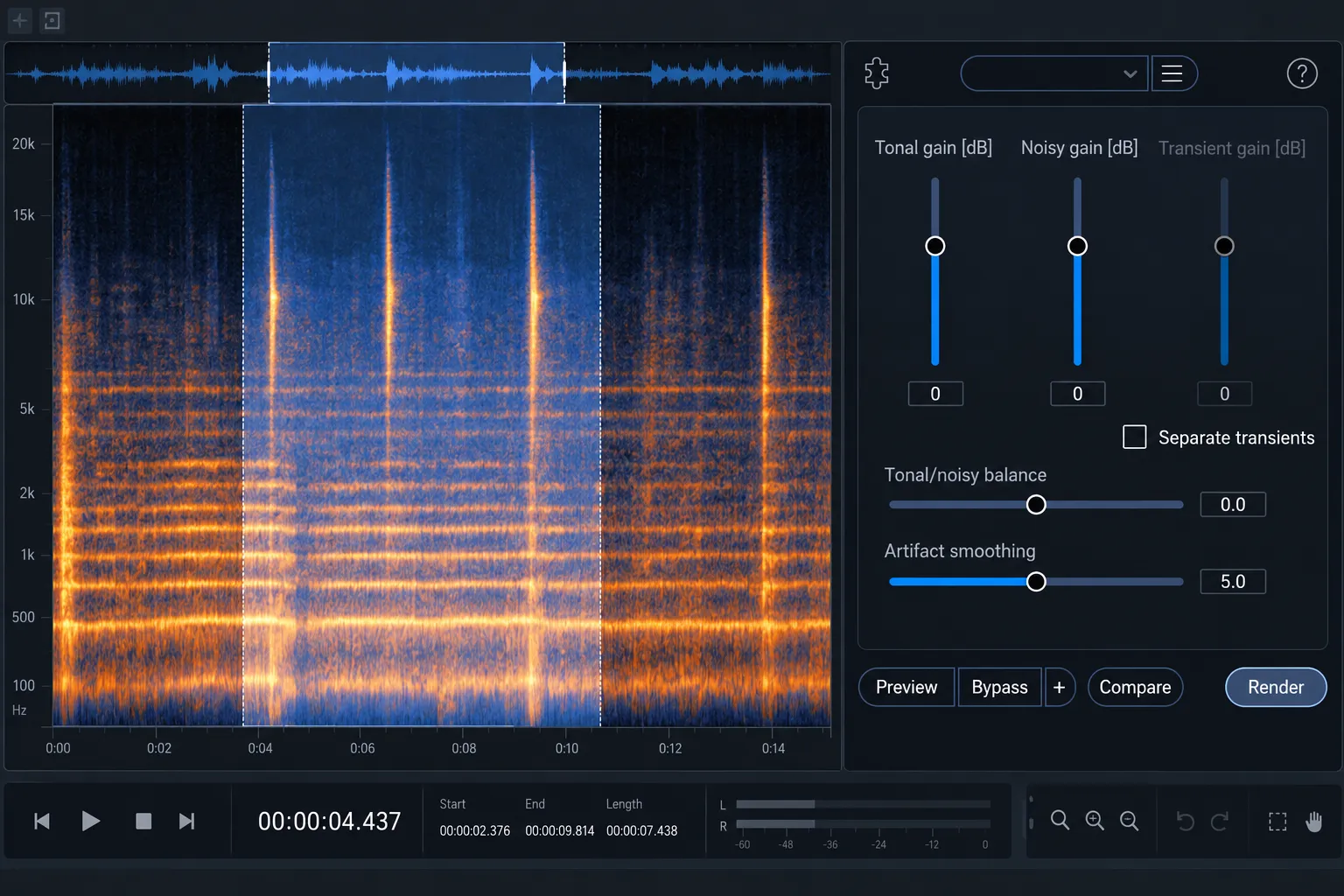
iZotope RX Deconstruct is useful when the audible problem is defined by structure rather than level. It separates a selected signal into tonal, noisy and, when enabled, transient components. You can then cut or boost each component without asking a conventional denoiser to decide that quiet sound is noise and loud sound is wanted material.
That distinction makes Deconstruct a strong option for residual vinyl texture, raspiness, changing noise and some forms of distortion. It also creates a risk, because music, speech and noise can share the same structural category. I’d keep the selection bounded, the gain moves small and the comparison focused on protecting the identity of the wanted sound.
What Deconstruct separates
| Component | Typical content | What its gain control changes |
|---|---|---|
| Tonal | Voices, instruments, hum, resonances and sustained pitched energy | Raises or lowers material classified as harmonically structured |
| Noisy | Hiss, surface texture, raspiness, distortion and unpitched energy | Raises or lowers material classified as noise-like |
| Transient | Clicks, attacks and short percussive events | Raises or lowers detected transients when Separate Transients is enabled |
Don’t think of the categories as stems. A vocal can contain tonal pitch, noisy consonants and transient attacks at the same time. A vinyl transfer can hold musical transients alongside clicks, while hum and bass notes are both tonal. Deconstruct gives you three structural balances; it never gives you perfect ownership of every sound.
The current RX 12 Deconstruct documentation marks the module as an Advanced feature. Check the edition installed on the target system before building a workflow around it.
When Deconstruct is the right first comparison
I reach for Deconstruct when amplitude-based separation is the wrong model. If a noise rises and falls through the file, a learned noise profile may not describe it well. Deconstruct instead analyzes harmonic structure independently of level, so a quiet tonal component and a loud tonal component remain in the tonal category.
Useful starting cases include:
- Residual vinyl texture after click repair. The manual specifically identifies remaining vinyl noise after De-click or De-crackle as a suitable case.
- Raspiness or distortion. Raising Noisy Gain can help identify the rough component; lowering it can reduce that component if wanted detail survives.
- A tonal source buried in a changing noise floor. A small Tonal Gain boost can lift structured material, though it will also lift tonal interference.
- Transient balance. Separate Transients allows clicks and attacks to be cut or boosted as a third category.
A noisy recording on its own is a weak reason to pick it. A stable broadband bed with a clean noise-only sample may suit Spectral De-noise. Voice De-noise is designed around voice and broadband noise. One isolated event usually calls for a local repair. What matters is matching the module's model to the defect.
Start with a representative selection
Preserve the original or a restorable copy before rendering. Select a passage that contains both the problem and enough wanted material to expose damage. A noise-only selection cannot tell you whether consonants, cymbals, string bow texture or room decay are being weakened.
Start with a short section where the defect is obvious. If the character changes over time, compare two or three separate passages before processing the full file. A setting that improves a quiet intro can soften a dense chorus, and one that helps a speaker can dull the next.
Reach for time-frequency selection when the problem is limited to part of the spectrum. Processing a narrow band around a rough resonance is often easier to judge than asking Deconstruct to reorganize the entire mix. For one visible object instead of a continuing texture, the Spectral Repair guide is the more direct route.
Set Tonal Gain and Noisy Gain first
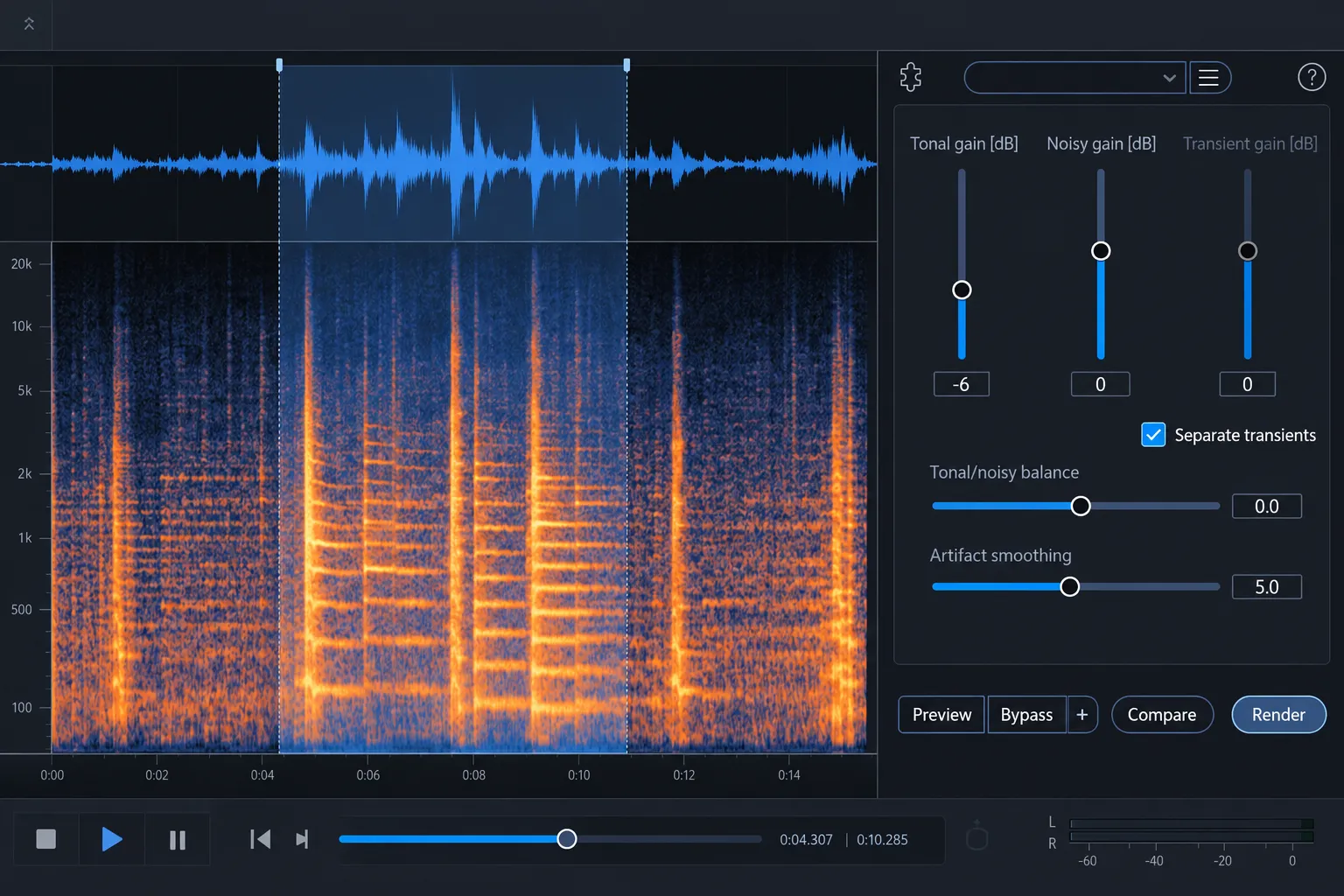
Leave Separate Transients off for the first comparison. Begin with Tonal/Noisy Balance at its default and make one small gain move. When hiss, surface texture or raspiness is the problem, lower Noisy Gain. To reveal pitched content, try a modest Tonal Gain increase instead.
Listen for the trade, and ignore how big the cleanup looks. Lowering Noisy Gain can also weaken breath, articulation, percussion edges, bow texture and ambience. Raising Tonal Gain can emphasize hum, ringing or resonances along with the wanted voice or instrument. Compare at a similar perceived level so a louder result doesn’t pass for a clearer one.
A handy diagnostic move is to raise the component briefly to learn what RX has placed there, then return to a restrained setting for the real comparison. Keep that raised level for auditioning; it’s no render recommendation.
Use Tonal/Noisy Balance to change classification
Tonal/Noisy Balance does more than turn one component up while turning the other down. It changes the weighting used to classify the signal before the gain controls are applied.
- Negative values apply tonal weighting. More content that would have been classified as noisy moves into the tonal category and follows Tonal Gain.
- Positive values apply noisy weighting. More content that would have been classified as tonal moves into the noisy category and follows Noisy Gain.
This can feel counterintuitive. If lowering Noisy Gain removes too much consonant texture, moving the balance toward tonal weighting may protect some of that material by reclassifying it. If a rough resonance remains attached to the tonal component, moving toward noisy weighting may place more of it under Noisy Gain. Change the balance while listening to both the defect and the wanted detail; the direction alone does not guarantee the result.
Enable Separate Transients only when attacks need their own control
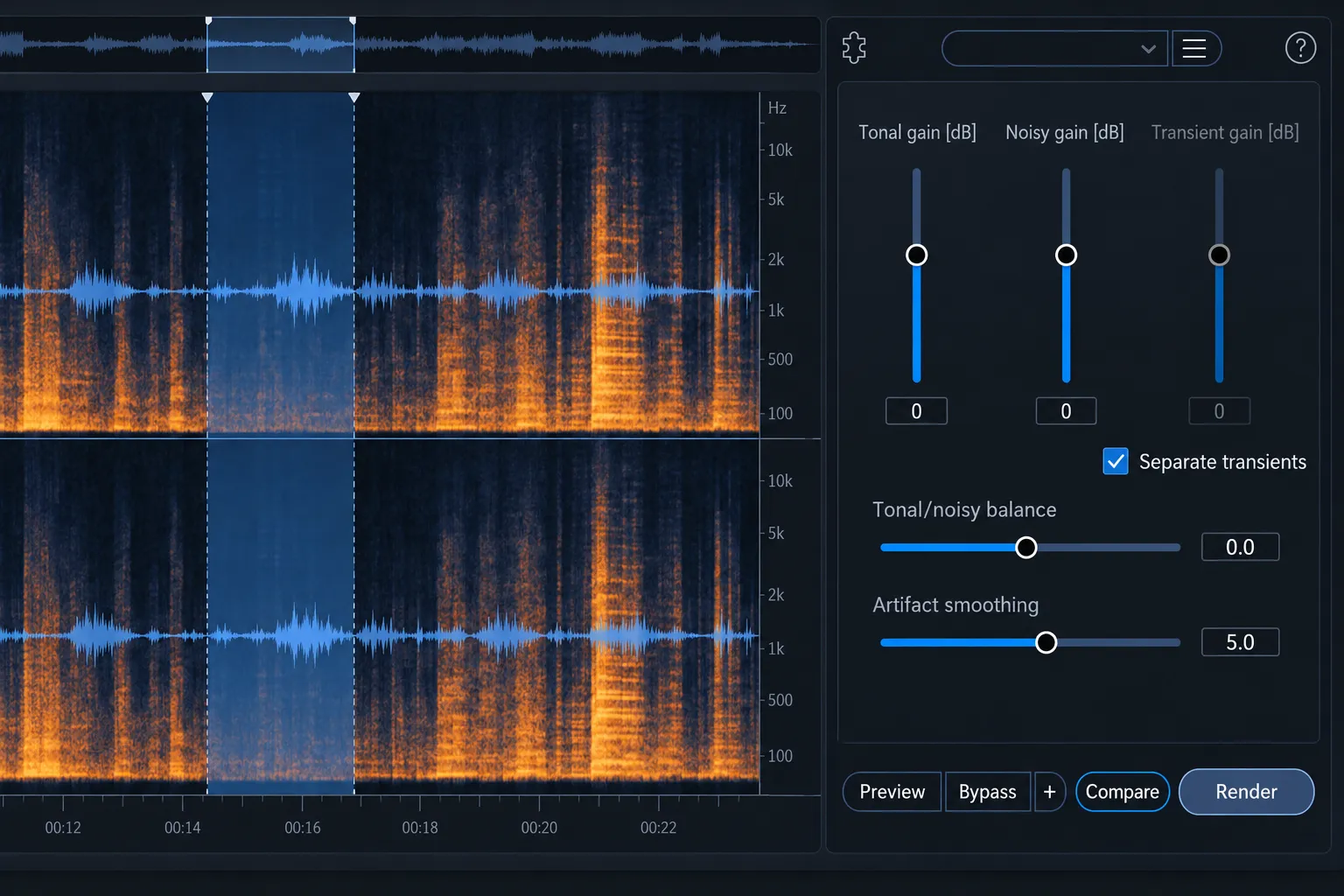
Separate Transients activates Transient Gain and turns the two-part model into a three-part model. Lowering Transient Gain can reduce clicks or attacks; raising it can act like transient shaping. That helps when a click-like layer survives the noisy reduction or when percussive attacks need independent treatment.
The extra separation also increases CPU load. iZotope notes that Preview performance can suffer and recommends using Compare instead when that happens. You can’t trust a stuttering preview to represent the rendered sound. Store a few controlled variants in Compare and audition them from the same start point.
For isolated impulse defects, a dedicated process remains easier to control. The official De-click documentation covers short clicks, while the site's vinyl restoration workflow shows why large pops and dense crackle should be handled before judging residual surface noise.
Use Artifact Smoothing to manage watery residue
Deconstruct uses FFT-based analysis, and strong removal can create musical-noise artifacts: watery, warbling or granular residue that moves with the signal. Artifact Smoothing is the control for that trade.
Increase Artifact Smoothing when the processed result sounds watery. Reduce it when smoothing blurs the separation or takes too much definition from the wanted component. The highest value is rarely the cleanest setting. Smoothing can hide one artifact by swapping it for softer detail and weaker component boundaries.
If a large gain cut demands extreme smoothing, back up. Reduce the amount of separation, narrow the selection or split the job into two conservative passes. A good endpoint may keep some texture while leaving speech, music and ambience believable.
A safe Deconstruct workflow
- Preserve the source. Work from a duplicate or confirm a reliable rollback point.
- Define the defect. Decide whether the problem is changing noise, raspiness, residual surface texture, a tonal issue or a transient issue.
- Choose a revealing passage. Include the problem and vulnerable wanted detail.
- Begin with two components. Leave Separate Transients off and keep Tonal/Noisy Balance at default.
- Move one gain control. Use a small Noisy cut or Tonal boost and compare at similar loudness.
- Adjust classification only if needed. Use Tonal/Noisy Balance to move borderline content toward the gain control that can treat it safely.
- Add transient separation only for a clear reason. Use Compare if Preview becomes unreliable.
- Control artifacts. Add enough Artifact Smoothing to reduce watery residue without erasing useful separation.
- Check multiple passages. Listen to quiet and dense sections, boundaries, stereo image, consonants, attacks and decays before rendering a longer selection.
- Recheck in the final chain. EQ, compression and limiting can expose softened attacks or modulation that was less obvious during repair.
If Deconstruct belongs in a longer repair sequence, keep each stage accountable. The RX module-chain guide explains how to compare order without stacking every available process.
Common problems and the better next move
The result loses consonants, cymbals or air
Noisy Gain is cutting wanted noise-like detail. Reduce the cut, move Tonal/Noisy Balance toward tonal weighting or limit the processing to the affected band and passage.
Hum or ringing becomes more obvious
Tonal Gain is lifting tonal interference with the wanted source. Return the gain toward neutral. Use a dedicated tonal repair when the interference has a stable fundamental or harmonic family rather than asking Deconstruct to distinguish one tonal source from another.
The output sounds watery
Increase Artifact Smoothing moderately, reduce the gain difference or process a smaller region. If the defect is one isolated spectral object, use Spectral Repair instead of forcing a broad structural separation.
Preview breaks up after enabling transients
The transient split adds processing load. Use Compare, shorten the selection and judge stored renders from the same position. Changing audio settings to cover playback trouble won’t fix the comparison.
Vinyl noise remains after Deconstruct
Residual noise may contain several defect types. Large clicks and dense crackle need their dedicated passes before a final texture decision. The official De-crackle guide describes the continuous stream of small impulses that Deconstruct is not designed to repair individually.
Know when to choose another RX module
| Defect | Better starting tool | Reason |
|---|---|---|
| One click or repeated short impulses | De-click | Dedicated impulse detection and interpolation |
| Dense small crackle | De-crackle | Designed for continuous streams of small impulses |
| One bounded sound in the spectrogram | Spectral Repair | Local reconstruction or attenuation from surrounding audio |
| Stable hum and harmonics | De-hum | Targets a tonal family without treating every tonal source as the same component |
| Stable broadband noise with a usable profile | Spectral De-noise | Uses a noise profile and reduction curve for broadband cleanup |
| Broadband noise around speech | Voice De-noise or Dialogue Isolate | Models voice/noise separation more directly |
Deconstruct earns its place when the problem changes in level but stays structurally different from the wanted signal. When wanted and unwanted audio occupy the same category, it struggles. Use the audio repair hub to compare that structural split with event-based, tonal and broadband repair. For routing and DAW choices, head to the RX workflows hub.